The platform
One AI across every design phase
Ideatura lets you author real work in Revit through modern AI interfaces: prompt it in chat, or mark up a drawing directly, with Revit as the system of record.
Modules
What runs on the platform
Ideatura executes the production work of architecture inside your live CAD model, carrying out what you describe as a prompt or a markup. The model stays the system of record, keeping everyone working in it, across firms and disciplines, coordinated on one shared, always current model.
Limited beta
Reach outMassing, facades, model edits and placing components, from a sketch or a prompt.
Doors, windows, furniture, fixtures and equipment, modeled from a photo, a prompt, or a sketch.
The 2D detail layer: detail elements, junctions, and assemblies.
Reads the model and drawings, pulls the numbers, checks against code.
Why it is one platform
Built for real projects
Your model and your drawings, as one thing
A BIM project is a 3D model, the 2D drawings produced from it, and the supplementary information layered on top of those drawings. Ideatura works with all of it.
Your templates, naming, and library
Every firm is different. Ideatura follows your guidelines, from templates and naming conventions to families and components, and applies them consistently across the project.
Every change can be rolled back
All the work happens in the live Revit model, and every change Ideatura makes is a standard Revit transaction. If something is not right, roll it back and run it again.
Built by one, used by everyone
It takes one person to get an automation right. Once it is saved to the shared library, the whole team runs it, and the value scales with every project.
Tune the output, not just the prompt
A generated automation exposes the parameters behind it, offsets, categories, dimension styles, so you can adjust the result to your standards without re-prompting from scratch.
Turn any command into a button
Save a prompt once and it becomes a button you can run again instantly, no retyping or repeating the conversation.
Revit Integration
Live sync with Autodesk Revit
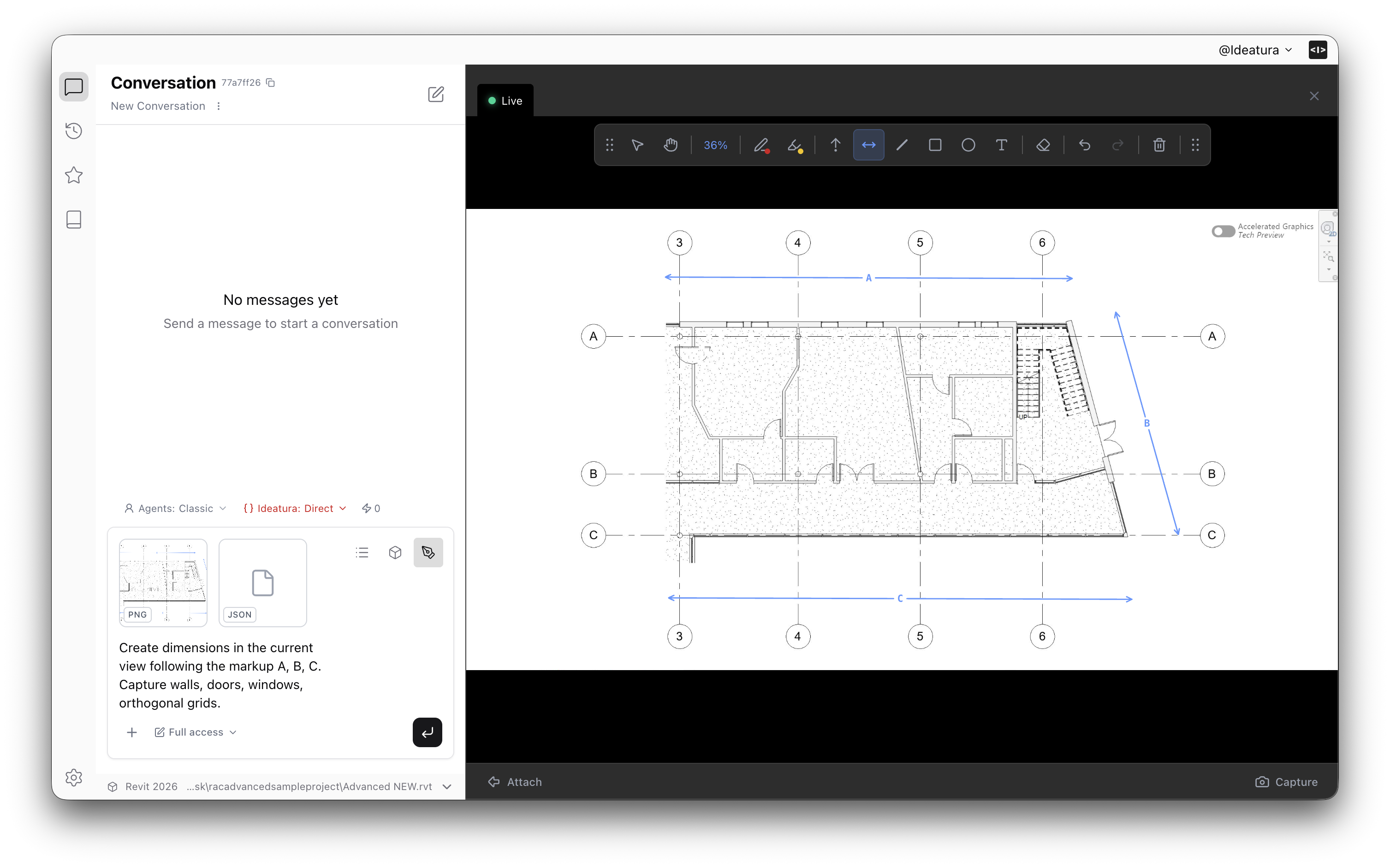
Describe it, or mark it up
In Ideatura Studio, describe what you need in plain language, or mark it up directly on the drawing. No separate tool to learn, and nothing to prepare beforehand.
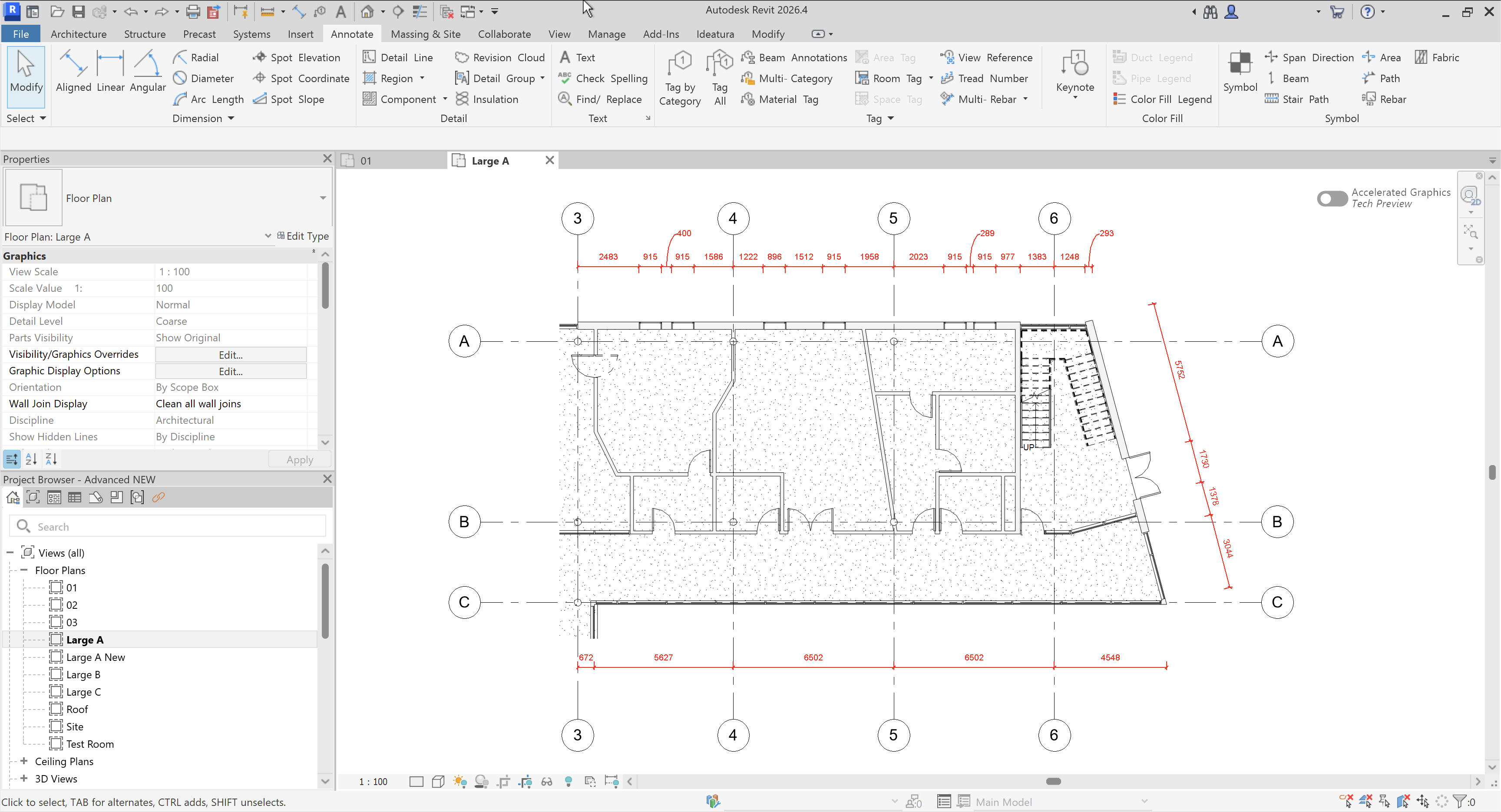
Revit, source of truth
Ideatura reads and writes your live Revit model directly, the same file your team already works in. Nothing to export, nothing to import, nothing to reconcile afterward.
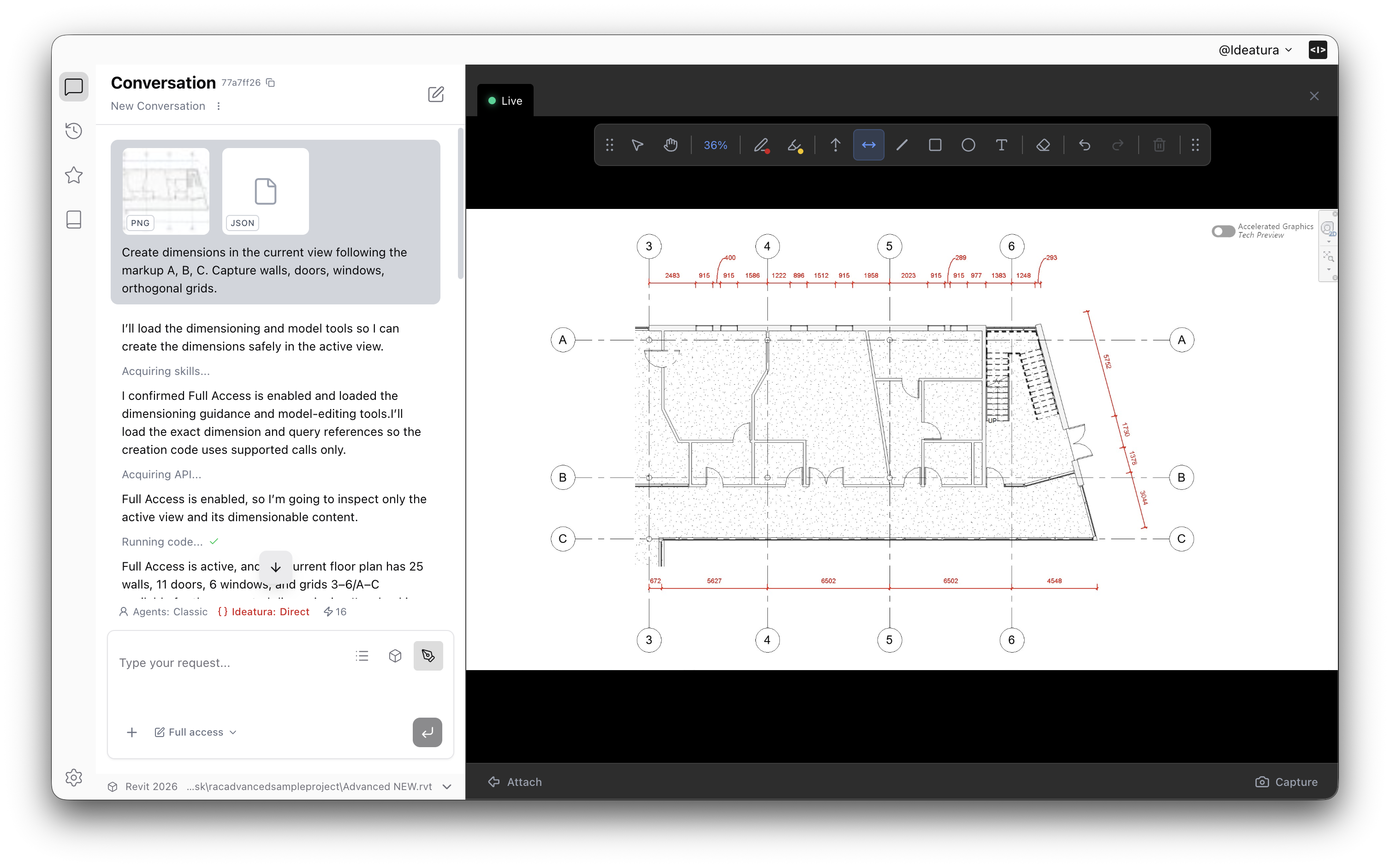
See it applied instantly
Ideatura stays connected to your Revit model live, so you see exactly what changed the moment it happens. Keep working in the same session, no waiting and no refreshing.
AI model stack
No single model is best at everything
We pick the most suitable model for every task, editing a model, reasoning in 3D, reading a drawing, or answering something quickly.
Best suited for generating the automations that change the underlying Revit model directly: building dimension strings, creating views and sheets, updating parameters.
Strong at 3D modeling, where the task is understanding how elements sit in space relative to each other, not just following a fixed instruction list.
Excels at reading a drawing or a screen and understanding what's actually there: whether a dimension lines up, whether the sheet matches what the model says it should look like.
Ideal for quick questions about a project or a model, without pulling in the depth of a heavier model.